SAFETY & MASS NOTIFICATIONS
Mass Notification System
When something goes wrong, people need to hear about it on whatever they're looking at, and you need to know who is okay. Castatus is an emergency mass notification system that sends one message across text, voice, email, mobile push and desktop at the same time, then collects every reply in one place so your team can see who is safe, who needs help and who hasn't answered yet.
Request Demo FAQs
Reach people on every channel
Each person gets the message the way they're most likely to see it, and you don't have to pick one channel.
Know who is safe
Every critical message asks one question: are you safe? People answer Safe or Not Safe from whatever channel the message reached them on, whether that's the app, a text reply, a voice call, email or a desktop alert. You see the totals as they come in, sorted into Safe, Not Safe and Unknown, so your team can focus on the people who need help and follow up with anyone who hasn't answered.
When someone answers from the SAFESTATUS® app, their GPS location comes with it. They can also add comments, photos or video, and you can see everyone on a map.
Send to exactly the right people
Target one location, several locations or your whole organization. Castatus mirrors your org chart, so you can reach groups like branch managers or a single team. You can also draw one or more areas on a map and send only to people inside them. Managers can be given rights to message their own teams while you keep central control.
Employee contact details stay current with a daily sync from Active Directory, or a daily CSV import over SFTP. See integrations.
Plan ahead, then send in a few taps
Build emergency and routine messages ahead of time as templates, then send them from your desk or from the Castatus Crisis Manager app with a single touch. Castatus can manage more than one incident at a time, such as an earthquake that also causes a gas leak. For what happens after the alert goes out, see our crisis management software.
Put your plans in their hands
Your team spent a lot of time writing emergency plans, evacuation maps and procedures. In a real emergency, those plans are usually in a folder in a filing cabinet, in an office nobody can get back into. Nobody should have to go looking for the binder when every minute counts.
With Castatus, the plan travels with the message. Attach your documents to a cast and people get them on the phone in their hand, right when they need them.
Manage every reply in one Inbox
The Castatus Crisis Manager Inbox brings two-way messages from every channel into one live view. Reply through the SAFESTATUS® app or by text in the same thread, mark people safe, call their emergency contact, flag a conversation and add internal notes.
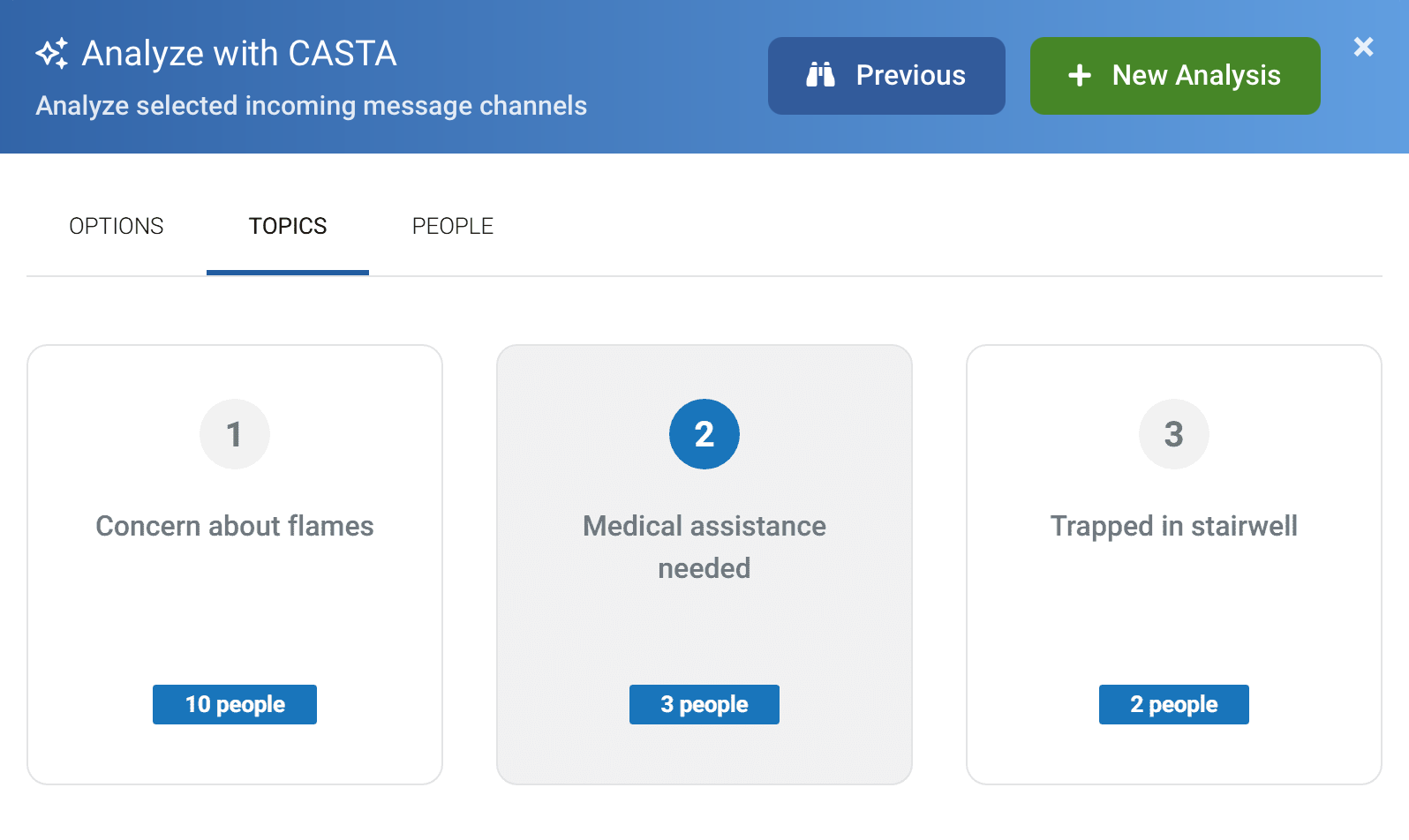
CASTA, Castatus AI: CASTA reads every incoming message, picks out the three most urgent issues, groups related reports, and lets you reply to each group through each person's original channel. Meet CASTA.
Translation: CASTA translates help requests, incident reports, app chats and text replies from more than 130 languages.
Records: export a full conversation as a PDF for your after-action review.
See the results in every cast report
Each message you send has its own report, so you can see how people responded without digging through conversations.
Polls
Add a poll to any message and ask whatever you need to know, like who has reached the evacuation point, who has supplies, or who can come in to work tomorrow.
Forms
Include a Castatus Forms link to collect structured answers, like a damage report. Every response is tied to the message it came from, and you can filter, chart and export the results.
ALERTS THAT START BEFORE YOU DO
Weather & Hazard Alerts
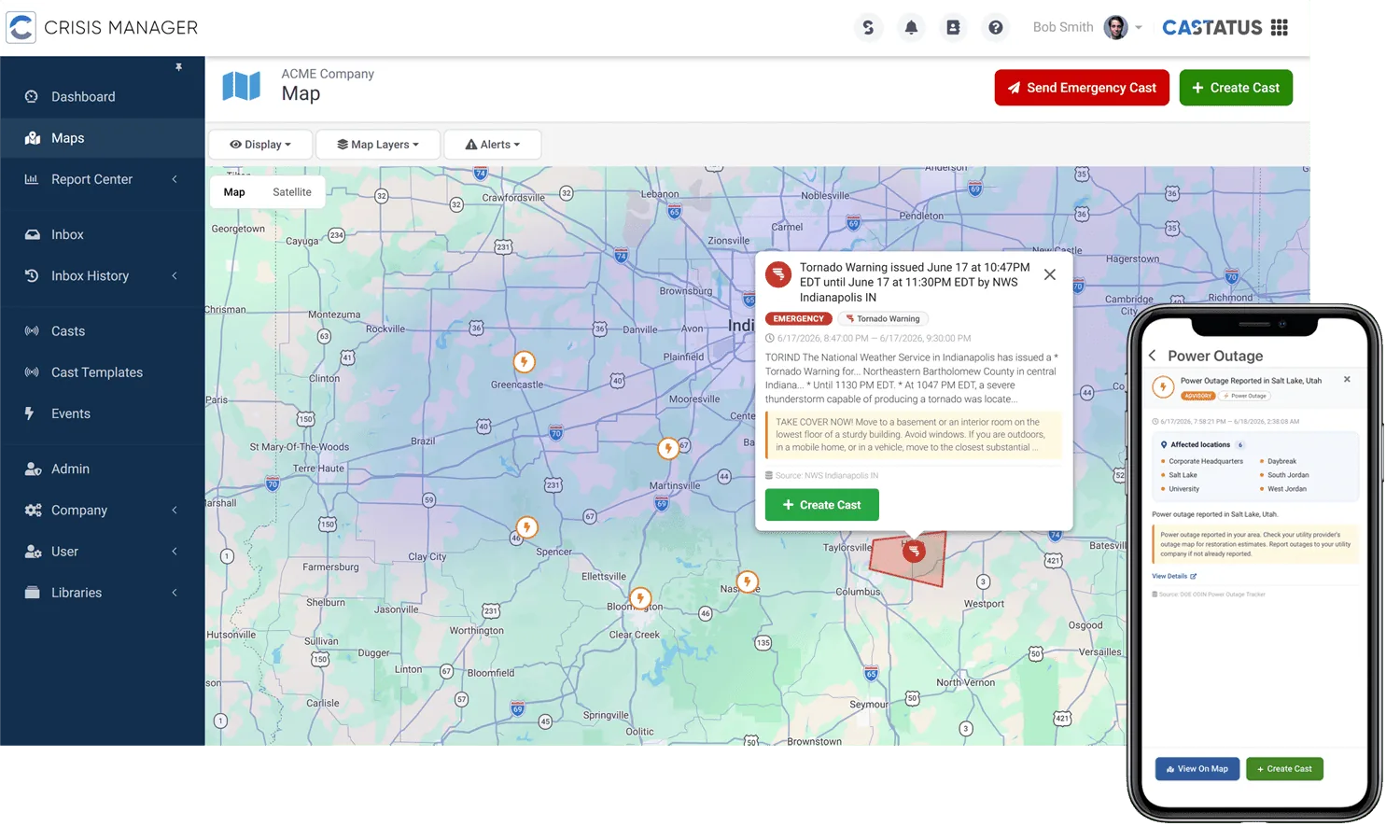
Weather & Hazard Alerts watch national feeds, including the National Weather Service, NOAA, USGS and FEMA, across ten hazard types. When a threat reaches one of your locations, matched by county and ZIP code, you get a push alert naming the affected sites, and you can send a message to those people from the same alert. Castatus never sends to your people on its own; you decide.
What's in Safety & Mass Notifications
Safety & Mass Notifications is one of the two suites in Castatus Cloud. The other, Workplace Productivity, includes SafeSignal, Visitor Manager, Deliveries and Forms, and both suites run on the same platform.

Build and launch messages from the web platform or the Crisis Manager mobile app, so you can send from your desk or on the go.

The employee app for receiving alerts, answering Safe or Not Safe, requesting help and reporting incidents.

Puts messages on employee desktops and laptops, and can send a silent duress signal from a keyboard shortcut.
The B2 Smart Badge works with SAFESTATUS®. It's an ID badge holder with a panic button: one press sends a help request with the wearer's location.
Mass notification also covers visitors. When someone checks in with Castatus Visitor Manager, they're enrolled to receive your emergency messages and can answer with their safety status, just like employees.
Examples of emergency and business notifications
Emergency
Send urgent instructions the moment something happens:
Active shooter
Bomb threat
Poor weather conditions
Gas leak
Fire
Business
Keep people informed when work is disrupted:
Server or network outages
Data or other security breach
Power outages
Cyber attack
Office closure
Common questions
Questions? We have answers. Request a demo today.
Request Demo